
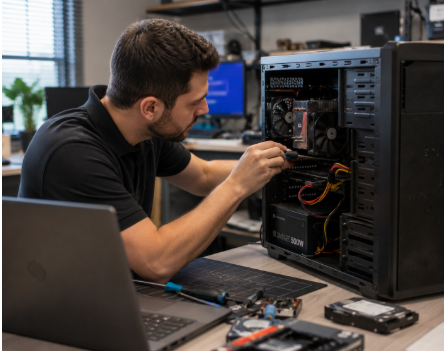
Most people rely on their computers every day for work, communication, entertainment, and managing important personal information. Because computers play such a central role in daily life, even small performance issues can quickly become frustrating and disruptive.
Unfortunately, many computer problems begin with subtle warning signs that are easy to ignore. Slow performance, unusual noises, or unexpected crashes may seem minor at first, but they often indicate deeper issues developing inside the system.
At A2 Computers in Ann Arbor, MI, professional computer and office machine repair services help individuals and businesses identify problems early before they lead to data loss, downtime, or expensive hardware failure.
Interestingly, one piece of computer trivia many people do not realize is that the first computer “bug” was an actual moth found trapped inside a Harvard computer in 1947. While today’s computer bugs are digital rather than literal, the principle remains the same: small issues can create major disruptions if left unresolved.
1. Your Computer Is Running Extremely Slow
One of the most common warning signs is a dramatic decrease in performance.
If programs take longer to open, files load slowly, or the system freezes frequently, the issue could involve:
- Failing hardware
- Insufficient memory
- Malware infections
- Hard drive problems
- Overheating components
Professional diagnostics help identify the underlying cause before the system becomes unusable.
2. Frequent Crashes or Blue Screens
Unexpected shutdowns and blue screen errors often indicate serious internal problems.
These issues may stem from:
- Corrupted operating system files
- Hardware failures
- Driver conflicts
- Memory problems
Repeated crashes should never be ignored, especially if important files or business operations depend on the computer.
3. Strange Noises Coming from the Computer
Computers should operate relatively quietly. Clicking, grinding, or buzzing noises may signal failing hardware components such as:
- Hard drives
- Cooling fans
- Power supplies
A failing hard drive is particularly concerning because it can lead to permanent data loss if not addressed quickly.
4. Overheating Problems
If your computer becomes excessively hot or shuts down unexpectedly, overheating may be the cause.
Dust buildup, failing cooling systems, or blocked airflow can damage internal components over time. Professional maintenance and repair services help prevent long-term hardware damage caused by excessive heat.
5. Programs Stop Responding
Frequent freezing or unresponsive applications can indicate software conflicts or deeper system instability.
When computers struggle to handle routine tasks, it may be time for professional repair or system optimization.
6. Internet and Connectivity Problems
Persistent internet connectivity issues are not always caused by the internet provider.
Internal networking problems, failing hardware, malware, or corrupted software settings can all affect connection stability.
Professional repair technicians can diagnose whether the issue originates from the computer itself or an external network problem.
7. Pop-Ups, Viruses, or Suspicious Activity
Unexpected pop-ups, unfamiliar programs, and browser redirects are often signs of malware or virus infections.
Cybersecurity threats can compromise:
- Personal information
- Financial accounts
- Business data
- System performance
Professional repair services help remove malicious software safely while improving system security.
8. Your Battery Drains Too Quickly
Laptop batteries naturally degrade over time, but sudden battery failure or rapid draining may indicate additional hardware or charging issues.
In some cases, power management problems or overheating components contribute to reduced battery life.
9. External Devices Stop Working Properly
If printers, monitors, keyboards, or USB devices suddenly stop connecting consistently, the issue may involve:
- Driver failures
- Port damage
- Motherboard issues
- Software conflicts
Office machine repair and maintenance services help businesses minimize interruptions and maintain productivity.
10. You Have Delayed Repairs for Too Long
Many people continue using malfunctioning computers until the problem becomes unavoidable. Unfortunately, delaying repairs often increases both repair costs and the risk of data loss.
Addressing problems early can help:
- Extend system lifespan
- Improve performance
- Protect valuable data
- Prevent complete hardware failure
Professional Computer Repair Makes a Difference
Modern computers are highly complex systems, and attempting DIY repairs can sometimes worsen the problem.
At A2 Computers, experienced technicians provide professional diagnostics, repair, maintenance, and optimization services for both personal and business systems throughout Ann Arbor, MI.
Whether the issue involves hardware failure, malware removal, office machine repair, or system performance problems, professional service helps restore reliability and reduce unnecessary downtime.
Get Your Computer Running Properly Again
Small computer issues rarely improve on their own. Identifying and repairing problems early can save time, money, and frustration while protecting the devices you depend on every day.
If your computer is showing signs of trouble, A2 Computers is ready to help.
Visit A2 Computers online or call 734-971-6900 to schedule professional computer and office machine repair services in Ann Arbor, MI.